Check out a couples or group visit
A couples or group visit checks out once for everyone: open the group, check the package price, then take one payment.
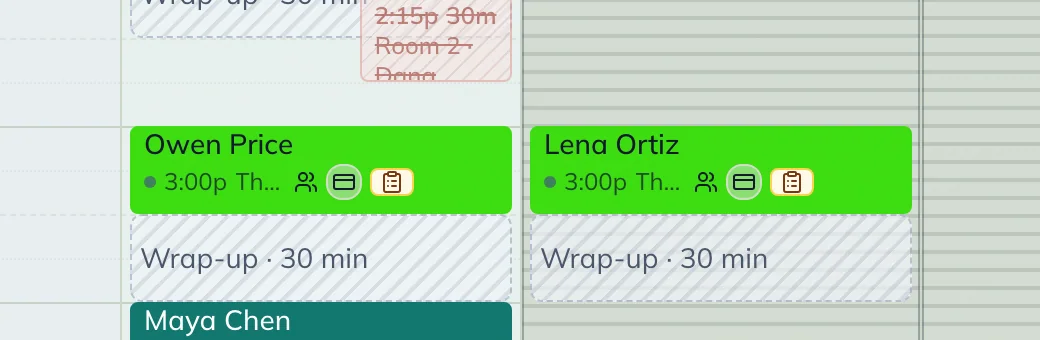
Step 1: Open the couples visit
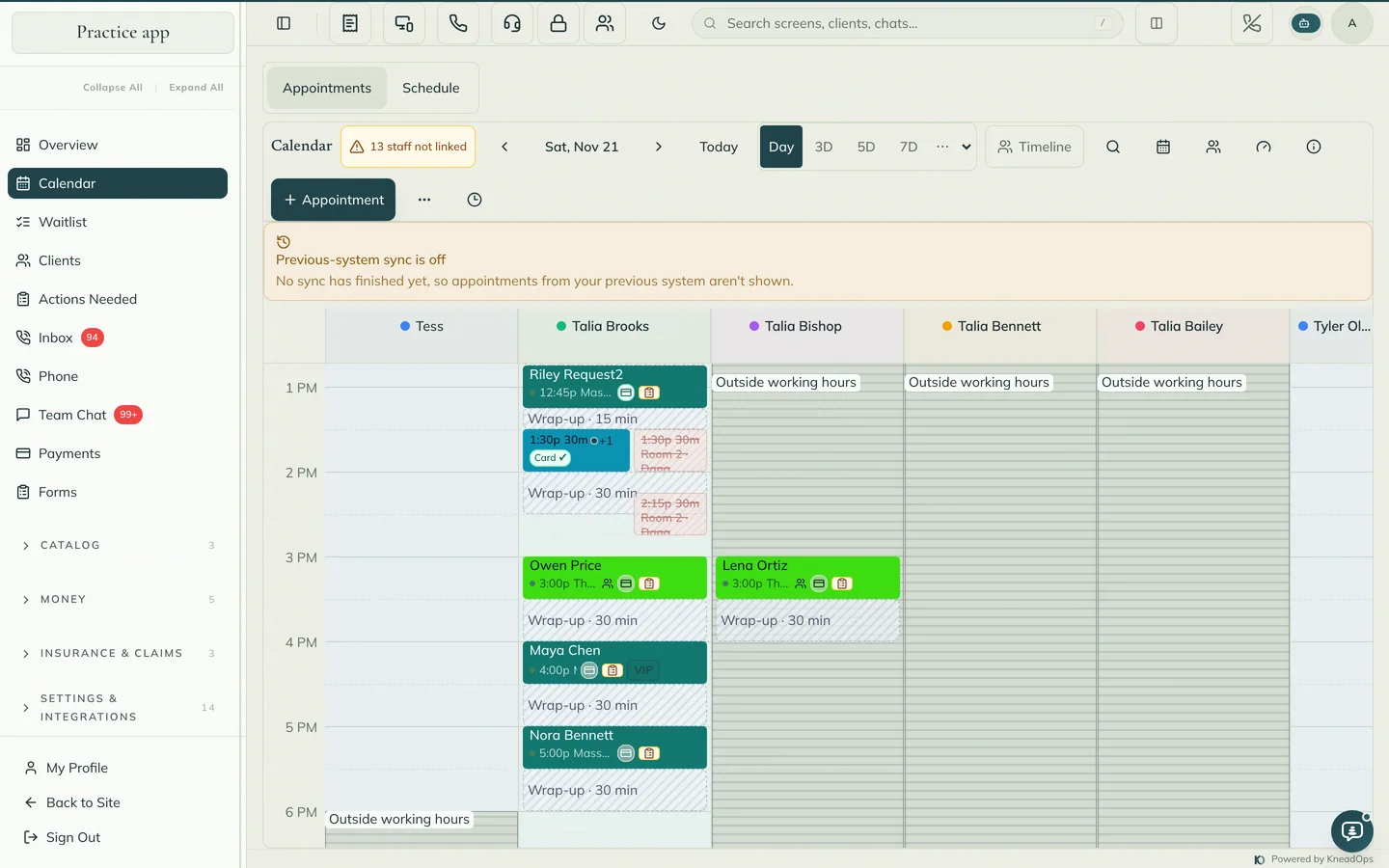
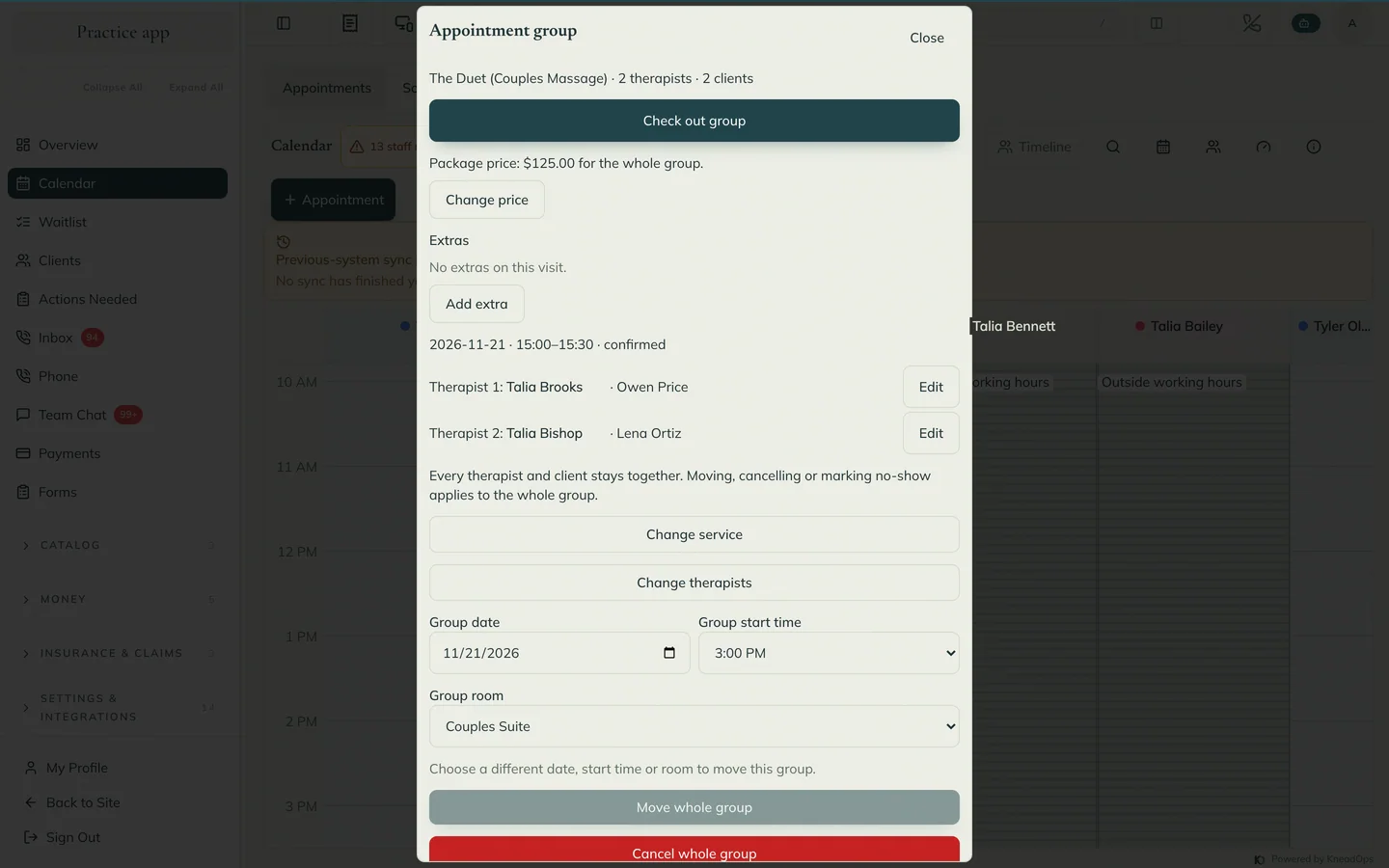
On the Calendar, a couples visit shows once in each therapist's column, at the same time. Click either one. The Appointment group window opens.
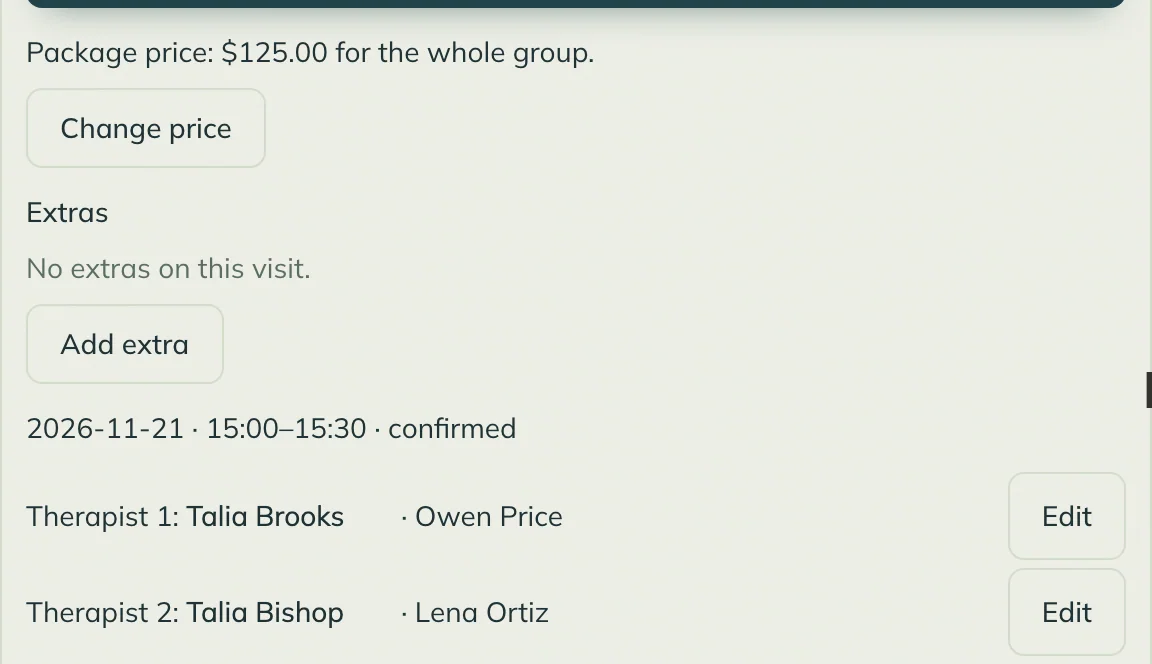
Step 2: Check who is in it and the price
The window lists each therapist with their client and the Package price for the whole group. If you agreed a different price, press Change price first.
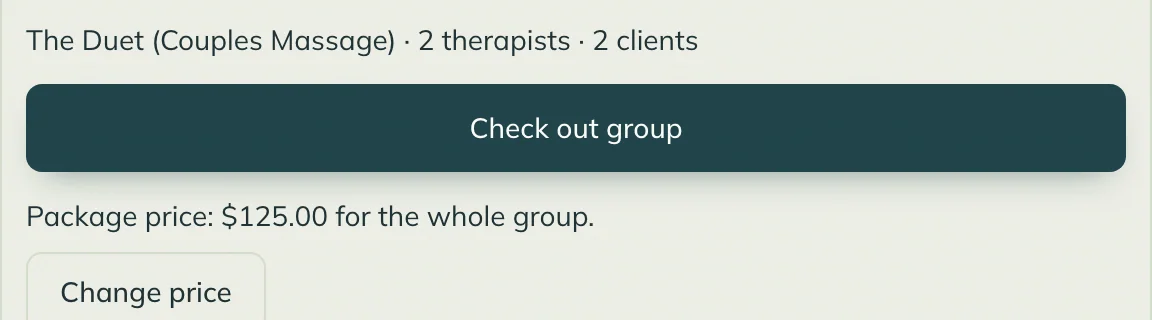
Step 3: Press Check out group
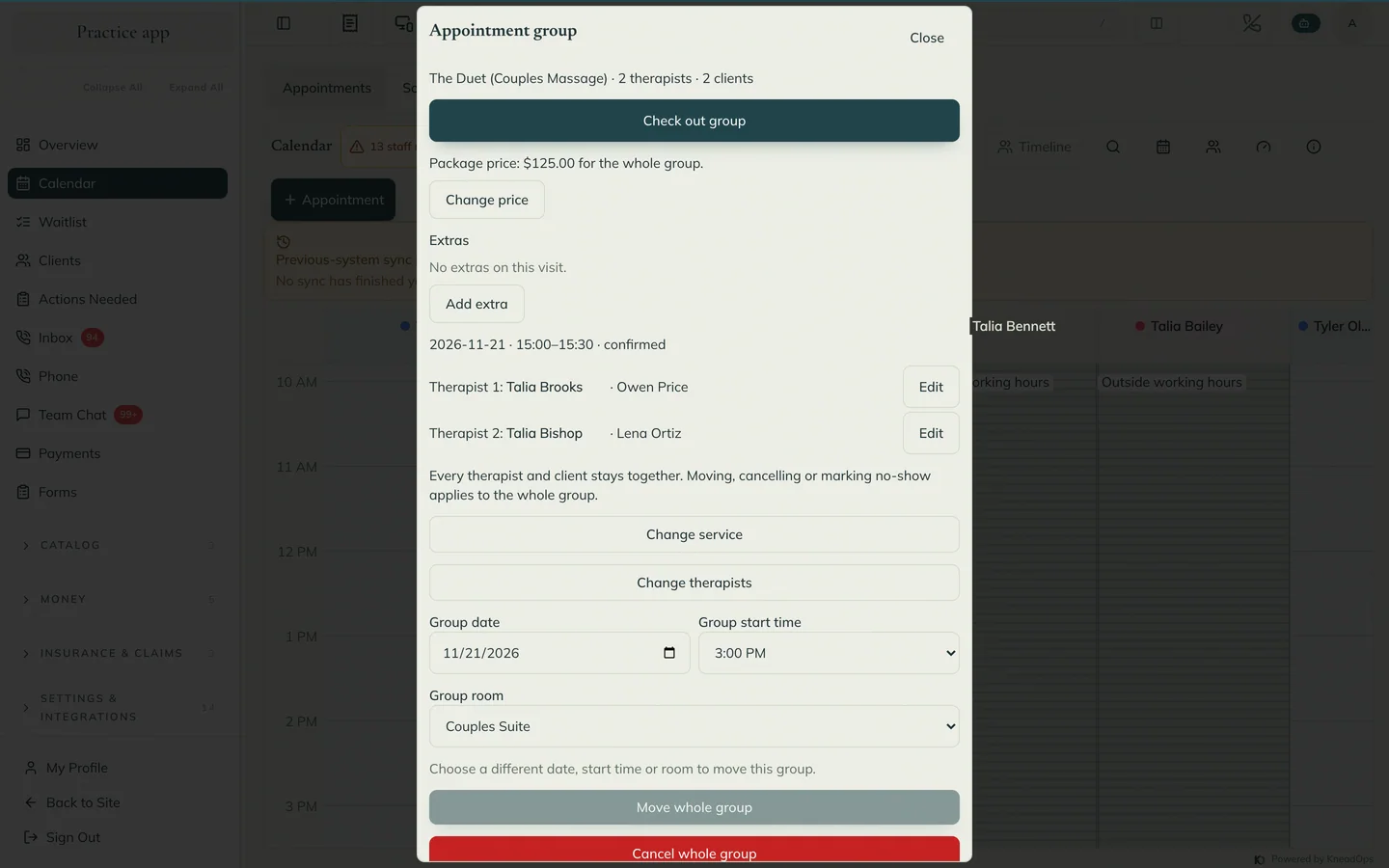
Press Check out group. You check out once for the whole couple or group.
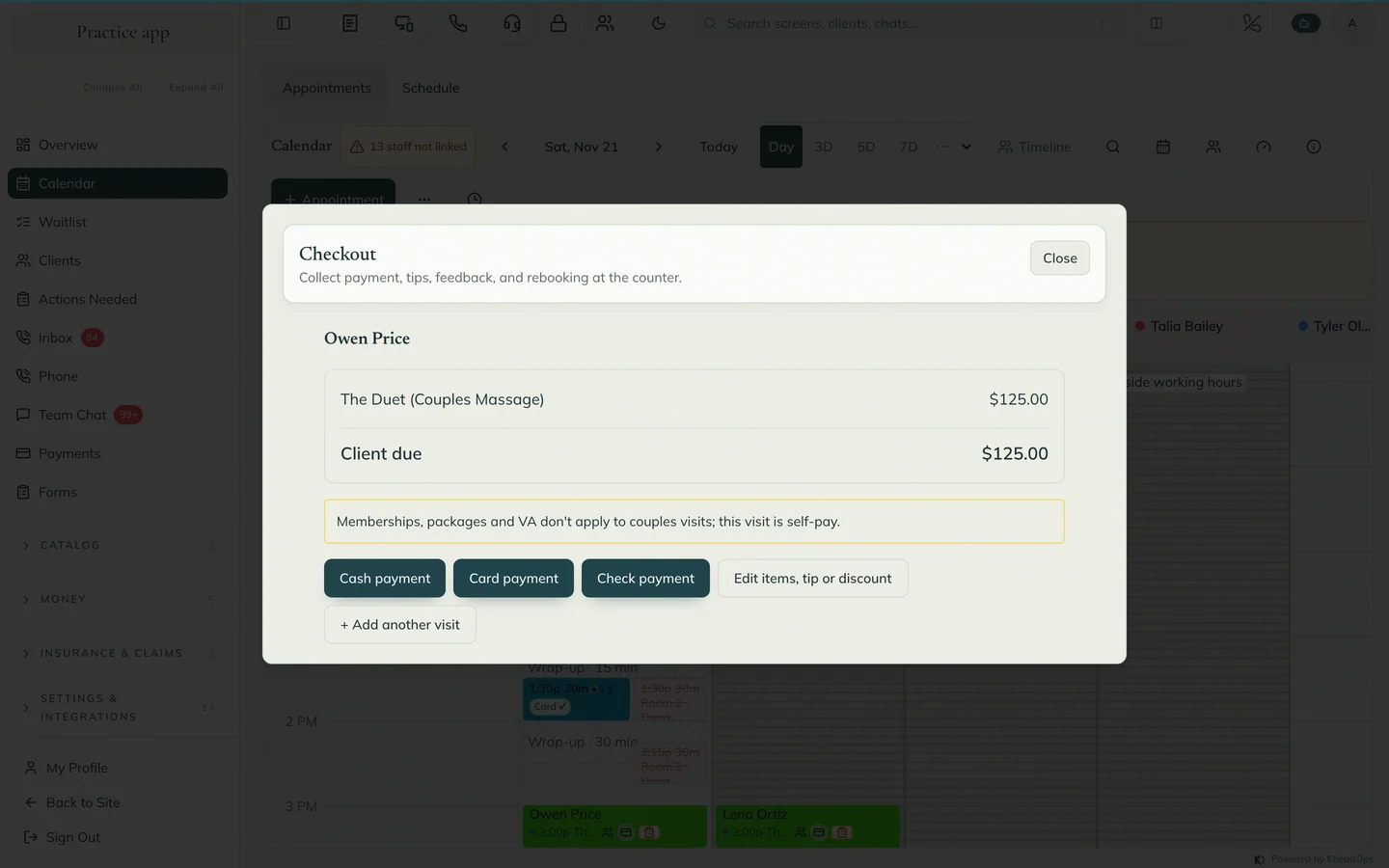
Step 4: Check what they owe
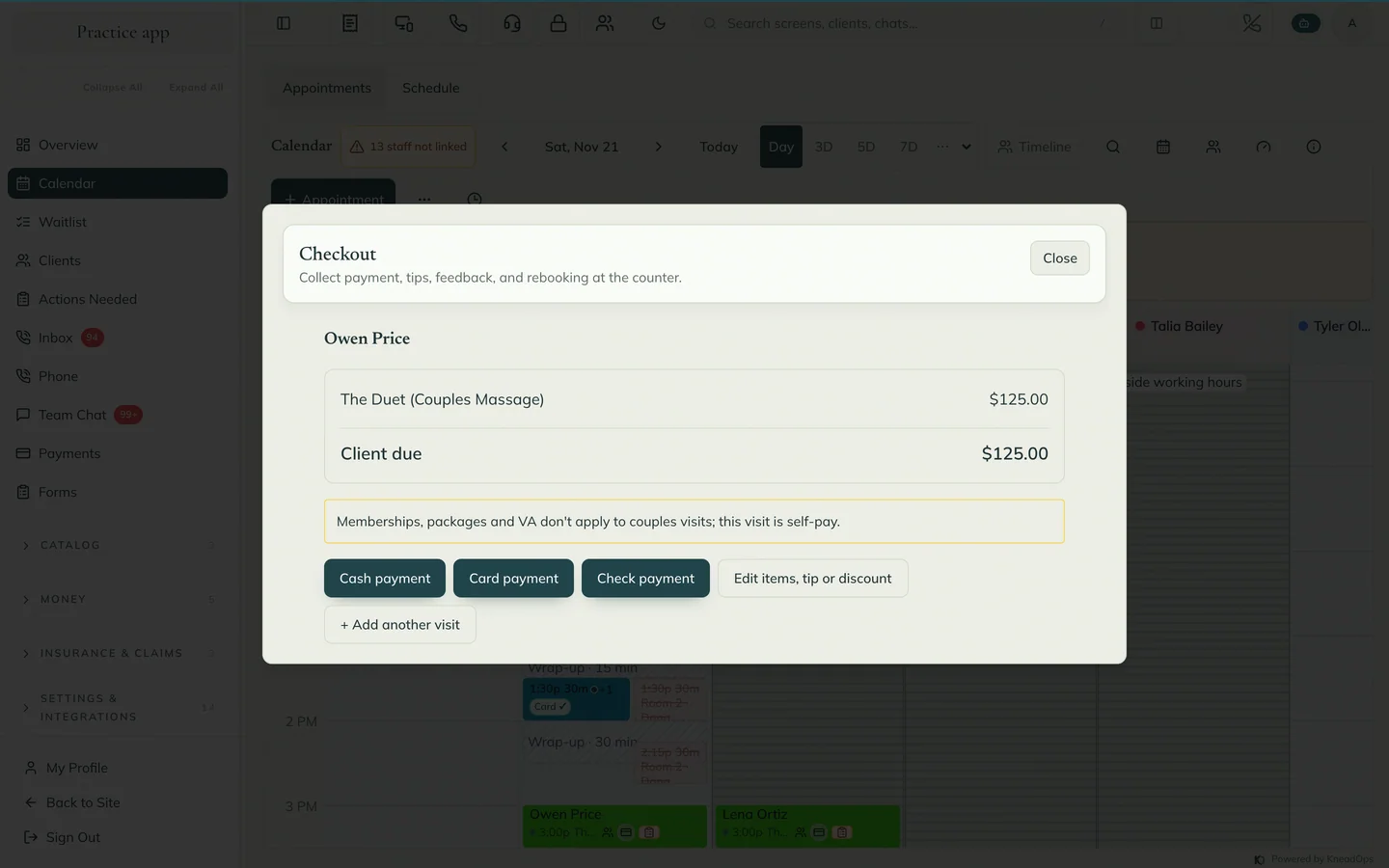
Checkout shows one line for the couples service and Client due for the whole visit. Memberships, packages and VA don't apply to couples visits, so this is what they pay. To add a tip or a product, press Edit items, tip or discount.
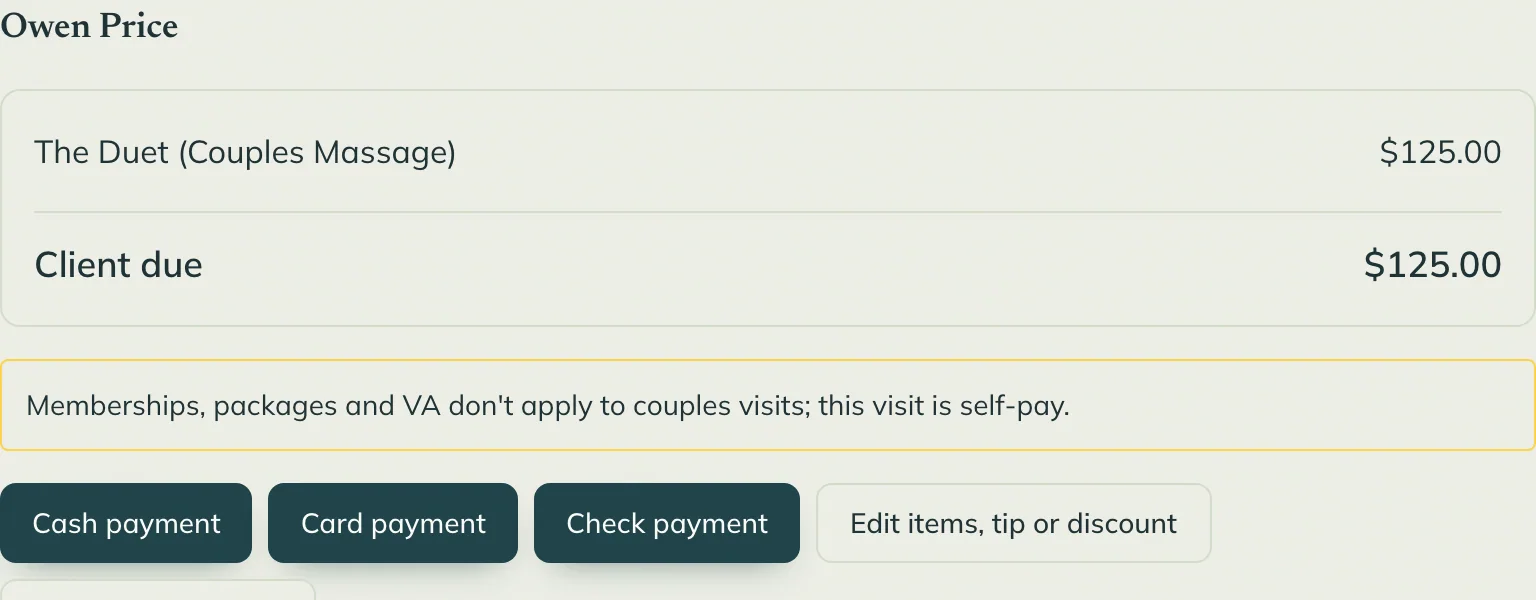
Step 5: Take one payment
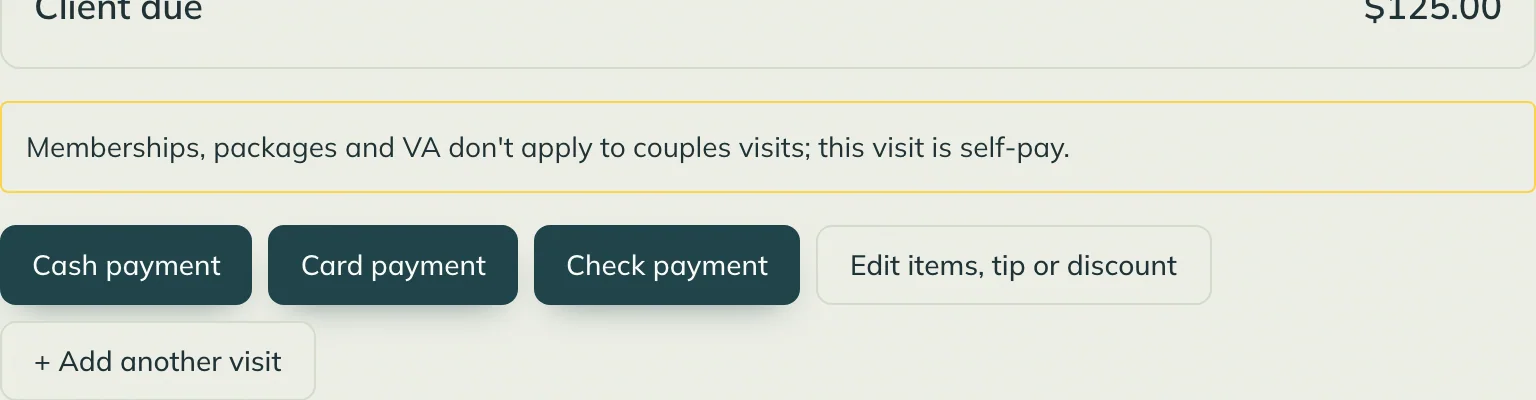
Press Card payment to send the amount to your card reader, or Cash payment or Check payment if they pay that way. One payment covers everyone in the group.
Still stuck?
Ask Kneadle from the chat button in your practice app. It can walk you through this screen or do it with you.
More in Checkout and payments
 Check out a member's visitWhen a member comes in, their membership covers the visit at checkout. Check it shows, then finish the checkout.
 Refund a paymentGive a client their money back, all of it or part, from the sale they paid for. Card refunds go back to the card; cash refunds are recorded from the drawer.
 Save a card on file and choose a card holdGet a client's card saved without typing it yourself, and decide which bookings need a card to confirm.